Website · EdTechLive
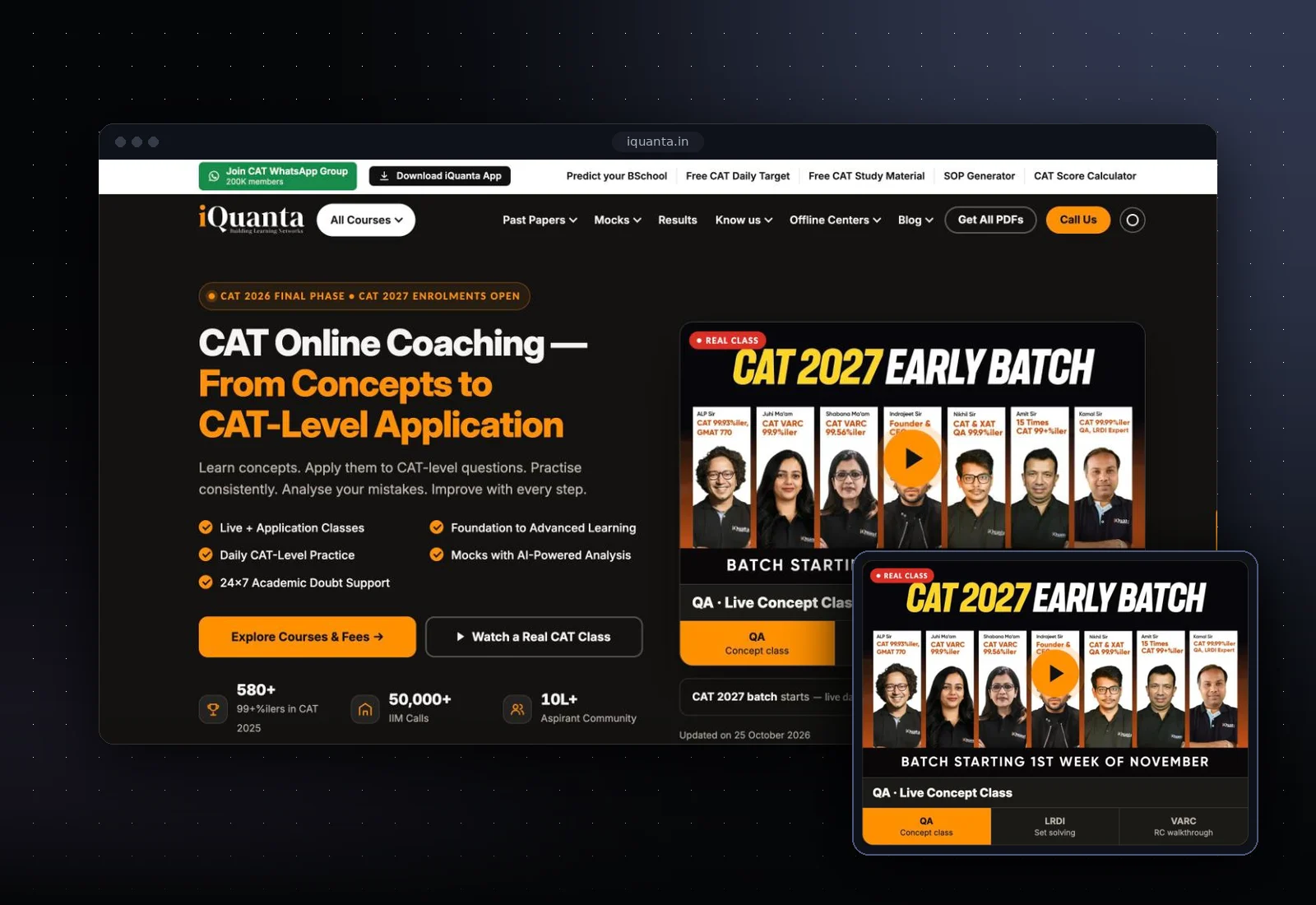
iQuanta — homepage redesign
A conversion-focused homepage for an online CAT coaching brand, built around real classes, results and counselling.
Next.jsSEOCore Web VitalsCRO
Visit live product ↗Our UI/UX design services turn complex workflows and AI features into interfaces people understand on first use. Designers work beside the engineers who build the product, so what you approve in Figma is what ships.
Designs are checked for build effort and feasibility before you approve them.
Interfaces for review, correction and handoff whenever AI is part of the flow.
Layouts designed for left-to-right and right-to-left languages from the start.
As a UI/UX design agency inside an engineering studio, we start with research, not screens. We talk to users and the people who support them, map the jobs they are trying to get done, and review analytics and support tickets where they exist. That becomes information architecture and user flows you can react to before visual design begins.
Next come clickable prototypes tested with real users, then visual design and a hand-off engineers can build from without guessing. Because the same studio builds the product, we flag expensive ideas early and suggest cheaper ways to reach the same outcome. It's how we approached the iQuanta homepage redesign, a conversion-focused page built around real classes, results and counseling.
AI features often fail on design rather than on models. Good AI UX design makes clear what the system did, how sure it is, and what the user can do about it. We design loading and streaming states, citations that link to sources, confidence cues, and simple ways to edit, retry or reject an output.
When an AI agent acts on someone's behalf, the interface needs a review step before anything irreversible happens, a readable history of what the agent did, and a clean handoff to a person when it gets stuck. We design those moments explicitly, because they decide whether people trust the feature enough to keep using it.
Product design for SaaS lives or dies on consistency across many screens, roles and states. We build design systems in Figma with tokens for color, type, spacing and states, mirrored in code with Storybook and Tailwind CSS, so designers and engineers share the same components and new features look like they belong.
Prototypes come at two levels: quick clickable flows to test an idea with users, and high-fidelity prototypes for stakeholder sign-off or investor demos. Both are built from the same system, so moving from prototype to production doesn't mean redesigning. Dense data screens, like the role-based dashboards in our iSales CRM, get the same care as marketing pages.
Serving users in several markets often means more than one language in the same product, and sometimes more than one reading direction. Right-to-left support is more than mirroring the layout. Navigation, directional icons, charts, forms, number and date formats, and mixed-direction text all need deliberate decisions, and scripts such as Arabic need typefaces and line heights chosen for them.
We design both directions together from the start and test with real content in each language rather than placeholder text, so the RTL version feels designed rather than converted. Our tokens and components handle direction in code, which keeps both versions in step as the product grows.
If your product already exists, a UX audit is a focused way to find what is costing you sign-ups, activation or support time. We review key journeys against usability heuristics and accessibility basics, look at analytics and session data where available, and test the flows that matter most with a small group of users.
You get a prioritized list of issues with the evidence behind each one, suggested fixes with an effort estimate, and redesigned screens for the highest-impact problems. Take the findings to your own team, or have us design and build the changes with the same people who ran the audit.
Twenty minutes on your users, product stage and what design needs to fix.
Interviews, analytics and journey maps turned into information architecture you can review.
Clickable prototypes tested with real users before any visual polish.
Visual design, a design system and specs engineers can build from directly.
A conversion-focused homepage for an online CAT coaching brand, built around real classes, results and counselling.
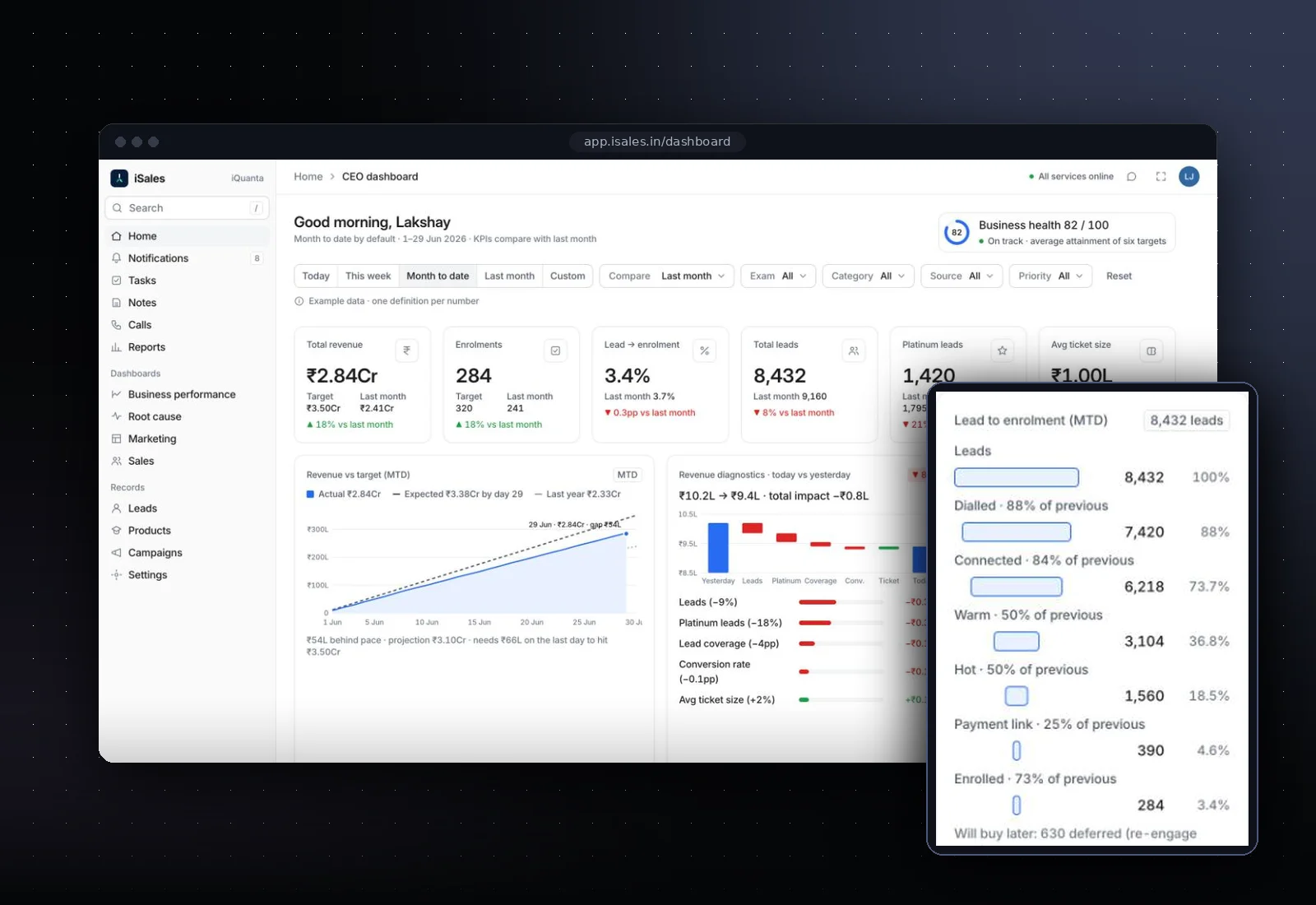
A CRM built for high-volume admissions teams, with role-based dashboards for every seat from counsellor to CEO.

Prove value on one high-impact workflow before you commit further.

Design and ship a complete AI-native product, ready for launch.

A senior team embedded with yours, working in your time zone.
Both. You can hire us for UI/UX design services alone and hand the designs to your own engineers, with a design system and specs they can build from. Or the same studio can build the product, which shortens feedback loops: designers and engineers sit together, so feasibility questions are answered in hours, not in handover meetings.
We make the AI's work visible and correctable. That means showing sources, signaling uncertainty honestly, letting users edit or reject outputs, and adding a review step before an agent takes an irreversible action. We also design the handoff to a person when the AI gets stuck, and test these flows with real users before launch.
Yes. We design left-to-right and right-to-left versions together from the start, with direction-aware components, typefaces chosen for legibility in each script, and decisions about which elements mirror and which don't. We test with real content in each language rather than placeholder text, so the RTL experience feels native rather than converted.
A prioritized list of usability and accessibility issues across your key journeys, with the evidence behind each one, suggested fixes and an effort estimate. For the highest-impact problems we include redesigned screens. You can act on the findings with your own team or ask us to design and build the changes.
Pricing is fixed per milestone and agreed before work starts. After a free 20-minute scoping call we define the milestones, for example research and flows, prototypes, and visual design with a design system, and price each one. A UX audit is scoped the same way, as a single fixed piece of work.
Yes. We start by reviewing what you have in Figma and in code, then extend it rather than replacing it. Where components are missing or inconsistent, we propose additions and tokens that fit your existing style, and keep Figma and code in step so your team can keep using the system after we finish.
Book a free 20-minute scoping call. Show us the product or the idea, and we'll suggest where design will make the biggest difference.